


News
All NewsHow we help educators, students & families
-
1
Accelerate Learning & Development
Iowa’s AEAs provide educational equity for all Iowa children.
-
2
Inspire Educators
Iowa’s AEAs provide professional tools and learning experiences.
-
3
Innovate with Schools
Iowa’s AEAs provide program and infrastructure supports.
-
4
Partner with Community Organizations
Iowa’s AEAs provide expertise to groups so that children can be evaluated by specialists.
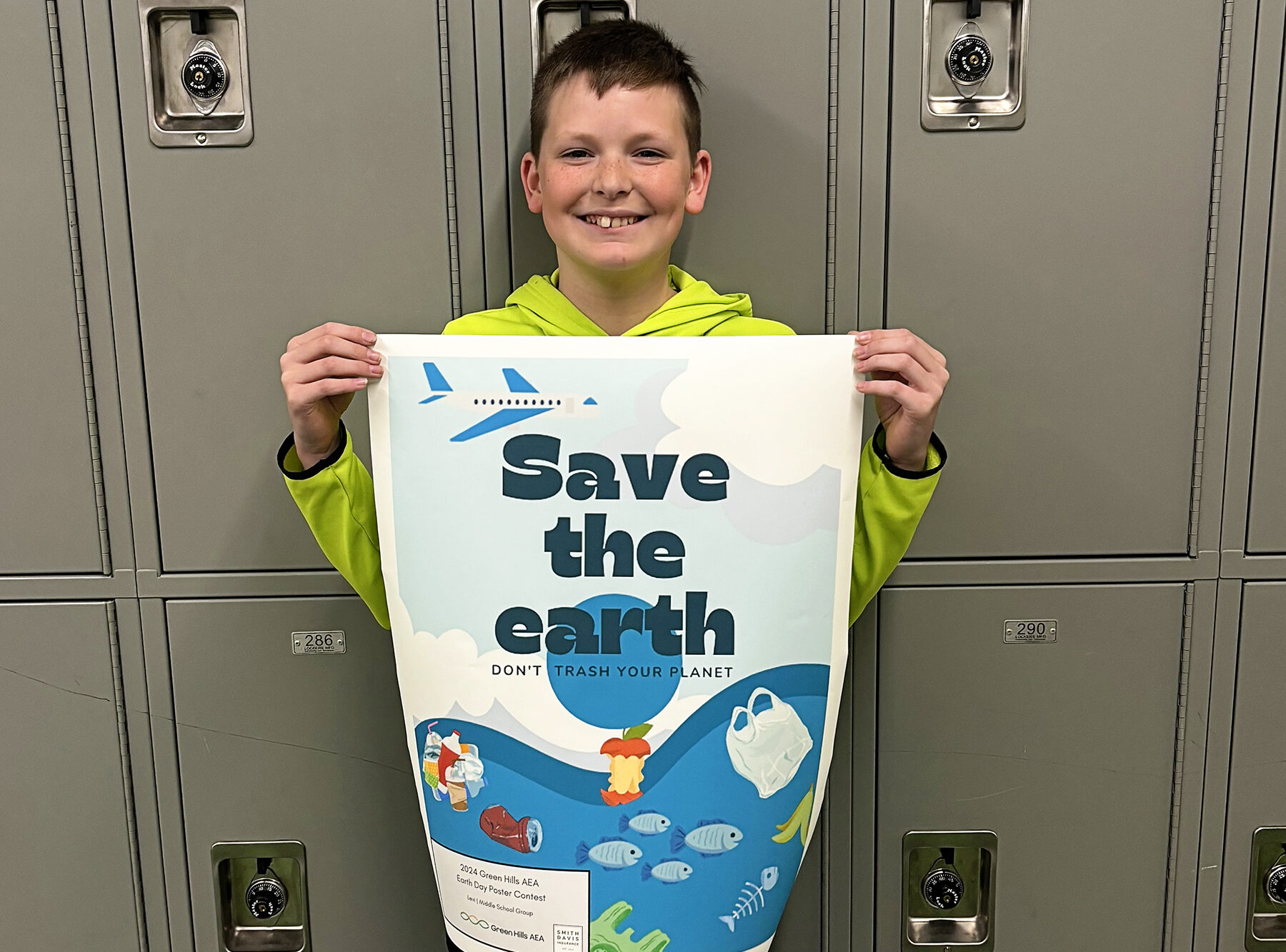
🌍 Celebrating Creativity and Environmental Advocacy! 🎨 The Green Team is thrilled to announce the winners of this year's Earth Day poster contest! 🏆
Congratulations to Lily from Harlan Primary School, Levi from Kirn Middle School (Council Bluffs), and Jace from Thomas Jefferson High School (Council Bluffs) for their outstanding entries in the elementary, middle, and high school categories respectively.
Each winner received a prize package worth $70, while the talented runner-ups were awarded with GHAEA swag goodie bags!
Special thanks to Smith Davis Insurance for their generous sponsorship. 💚💙🧡


AEA Digital Resources offer personalization features for students to accelerate their learning at their own pace! Materials can be sorted or filtered at the appropriate lexile level/text complexity. Your school has access to these features through AEA resources like Britannica School, Culturegrams, TeachingBooks, Gale, and more!
Learn more at iowaaea.org/one-pagers

Green Hills AEA would like to recognize our staff who are marking their 15th and 20th years of service to our organization! 🥳
Thank you all for your expertise, care, and support. 💚💙🧡


It's National Student Leadership Week! Amplify the amazing contributions that student leaders make in our schools and communities every day. Learn more at www.studentleadershipweek.org/ #iaedchat #iowaaea

Congratulations to Murray Fenn, our former CTE Consultant, on being honored at this year's Iowa FFA Leadership Conference! 🥳
Fenn received an honorary Iowa FFA degree for his outstanding service advancing agricultural education across the state!
We're so proud of you, Murray!


